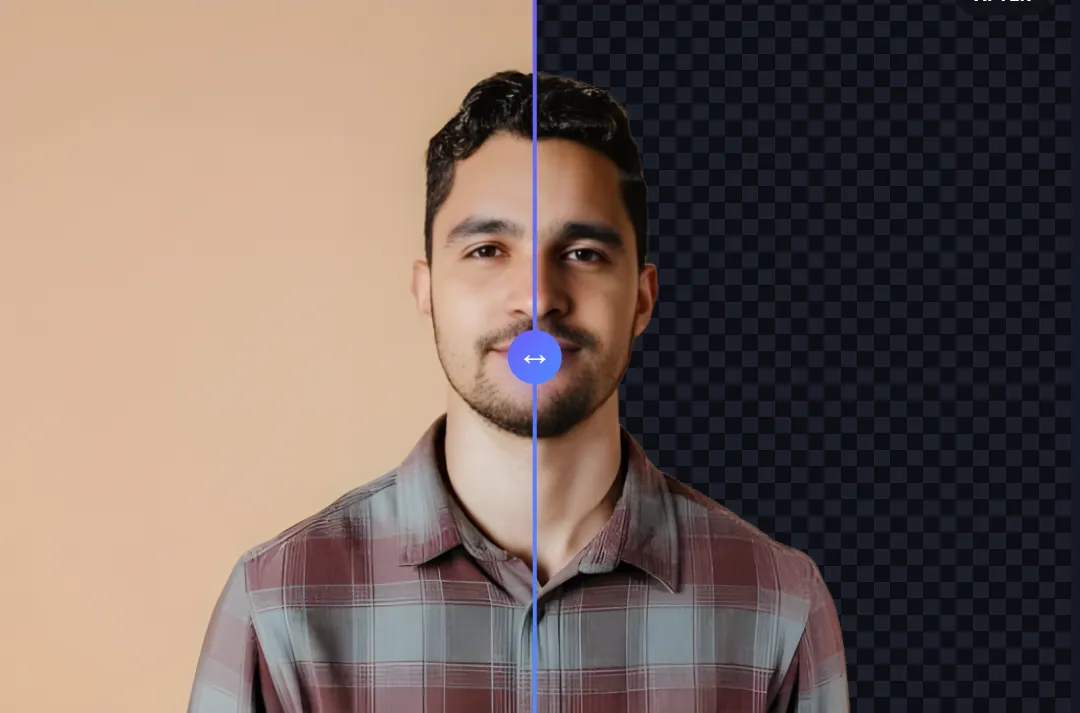
A task that used to eat hours in Photoshop now takes seconds here's what actually changed, and why it matters.
Removing a background used to be one of the most time-consuming parts of a designer's day. Before AI background removers existed, that meant Photoshop tracing edges by hand, pixel by pixel. A simple image might take a while; a complex one could eat up hours that would otherwise go toward actual creative work.
AI background removers have largely made that problem disappear. They deliver the result in seconds, and the output is often cleaner than what manual tracing produces. For designers, that saved time goes straight back into the art itself.
The process itself is simple from the user's side: upload an image, and the tool identifies the foreground subject, separates it from the background, and hands back a transparent PNG or a version with a new background dropped in, if you want one. Behind that simplicity is a machine learning model doing the actual work.
These models are trained on millions of images across different styles, learning to recognize patterns, edges, and pixel-level detail well enough to separate a subject from its background automatically. That's a fundamentally different approach from tracing edges by hand, where a complex image means hours of manual work no matter how skilled you are.
The practical result is that AI-driven tools handle transparent objects, fine details like hair, and generally complex subjects with a level of accuracy that's difficult to match manually in any reasonable amount of time.
Speed is the headline benefit, but it's not the only one. Background removal that used to take hours now typically takes 25-35 seconds and that shift changes more than just how fast a single task gets done.
With that time back, designers spend more of their day on the parts of the job that actually require creative judgment: trying different color treatments, testing fonts, experimenting with layout instead of manually tracing the same kind of edge over and over. Complex subjects that would have meant a slow, careful manual job get handled with the same accuracy and speed as a simple one.
At scale, this adds up to a real shift in output. Bulk work that once needed outsourcing, or a dedicated block of retouching time, can now be handled in-house in a fraction of the time which means more content produced without proportionally more hours spent on it.
AI Vectorizer Tools' Background Remover is built around fitting into an existing workflow rather than becoming its own separate stop. Where some tools specialize narrowly in just background removal meaning you still need to open a different app for anything else AI Vectorizer Tools bundles background removal alongside the other tools designers reach for regularly, so there's no jumping between tabs and accounts to get a full set of edits done.
Graphic designers are the most frequent users, almost by default pulling a product shot onto a new background, isolating a subject to drop into a different composition, or swapping out a post's background entirely are all daily, routine tasks.
Business owners regularly need print-ready product images with the background removed or replaced to match their brand's look, often without the time or budget for a dedicated designer to handle every single image.
Social media creators move fast enough that the ability to quickly isolate a subject and drop it onto a branded template or dynamic background makes a meaningful difference in how much content a small team can actually produce.
A background remover worth using should get a few things right: precise, accurate results even on complex subjects; clean edge detection that doesn't leave rough or jagged outlines; output in formats that actually work for what comes next (a transparent PNG, not just a flattened JPEG); and ideally, enough breadth to solve more than one problem so you're not switching tabs constantly throughout the day.
For anyone who also regularly needs image upscaling or a watermark remover, it's worth looking at a broader toolkit rather than a background-removal-only app. The time saved by not switching between separate tools adds up across a full working day faster than most people expect.
AI background removal doesn't replace a designer's skill or creativity it removes a specific, repetitive task that was never really where the creative value was in the first place. What's left is more time for the part of the job that actually benefits from a person's judgment and taste.
For anyone still tracing backgrounds by hand, trying a tool built around this workflow is a fairly low-cost way to find out how much of that time was recoverable all along.