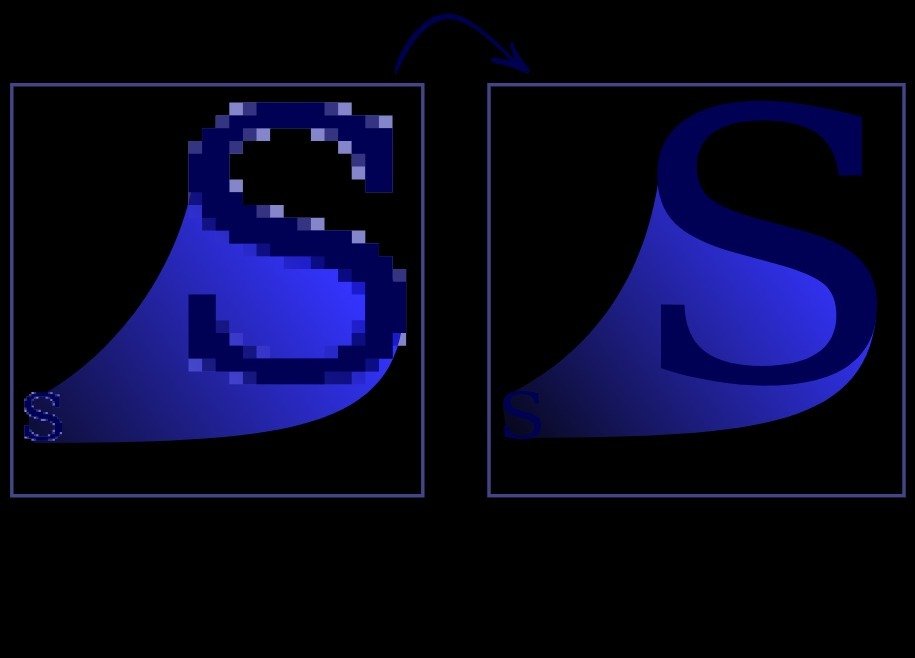
A PNG, JPG, or photo is a raster image made of pixels, so it gets blurry when you upscale.
To convert an image to vector, upload it to a vectorizer, let it trace the shapes into scalable paths, and download the result as SVG, EPS, or DXF. Flat, high-contrast art (logos, icons) converts best; detailed photos also work if you use a quality tool. Need to turn a JPG into a vector, convert a PNG to vector, or save a JPG as a vector? Whether it's for print, a cutting machine, or a logo you want to scale, the goal is the same: turn your pixel-based image into clean, scalable vector paths. This guide shows you exactly how, no design skills or expensive software required.
Convert any image to vector, no watermark
A PNG, JPG, or photo stores your image as pixels, a fixed grid of colored dots. Blow it up and the pixels stretch into a blurry, blocky mess. A vector stores the image as mathematical paths instead, so it scales to any size with razor-sharp edges.
Converting an image to vector means tracing those pixels into paths, a process called vectorization. A vectorizer does it automatically, so you don't have to redraw anything by hand.
New to the concept? Start with what a vector image is.
In short: (1) upload your PNG, JPG, or photo, (2) let it trace to vector paths, (3) adjust colors and detail, and (4) download as SVG, EPS, or DXF.
The tool traces your image into clean, scalable paths automatically.
Reduce the color count and raise smoothing for the cleanest result.
Export as SVG (web/scaling), EPS (print), or DXF (cutting/CNC).
This same process handles PNG to vector, JPG to vector, and photo to vector, the source format doesn't matter.
Vectorization shines on some images and struggles with others:
| Image type | Converts to vector? |
|---|---|
| Logo / icon | Excellent |
| Flat, high-contrast graphic | Excellent |
| Line art / sketch | Very good |
| Detailed illustration | Fair (simplify first) |
| Photograph | Limited, flattens tones |
If you have a logo specifically, our guide on converting a JPG logo to vector without losing quality covers the logo workflow in detail. For a photo you simply want larger and sharper (not vectorized), upscale it with AI instead.
"Vector" isn't one format, choose based on where the file is going:
Upload the image to a free online vectorizer, let it trace the pixels into paths, and download it as SVG, EPS, or DXF. No signup or software is required.
Upload the PNG to a vectorizer and export a vector file. It traces the image into scalable paths ideal for logos, icons, and flat graphics.
Yes. A JPG converts the same way as a PNG, the tool vectorizes it and you download an SVG, EPS, or DXF.
You can, but photographs have too much detail and tone to vectorize cleanly. It works best on flat, high-contrast art; for a sharper photo, upscale it instead.
Convert it: upload the JPG to a vectorizer and download it in a vector format such as SVG or EPS. A JPG can't simply be renamed to a vector.
SVG for web and scaling, EPS or AI for print, and DXF (or DWG) for cutting machines and CAD.
Whatever you're starting with, PNG, JPG, or a photo, turning it into a scalable vector takes three steps: upload, vectorize, download.
Convert to SVG instead