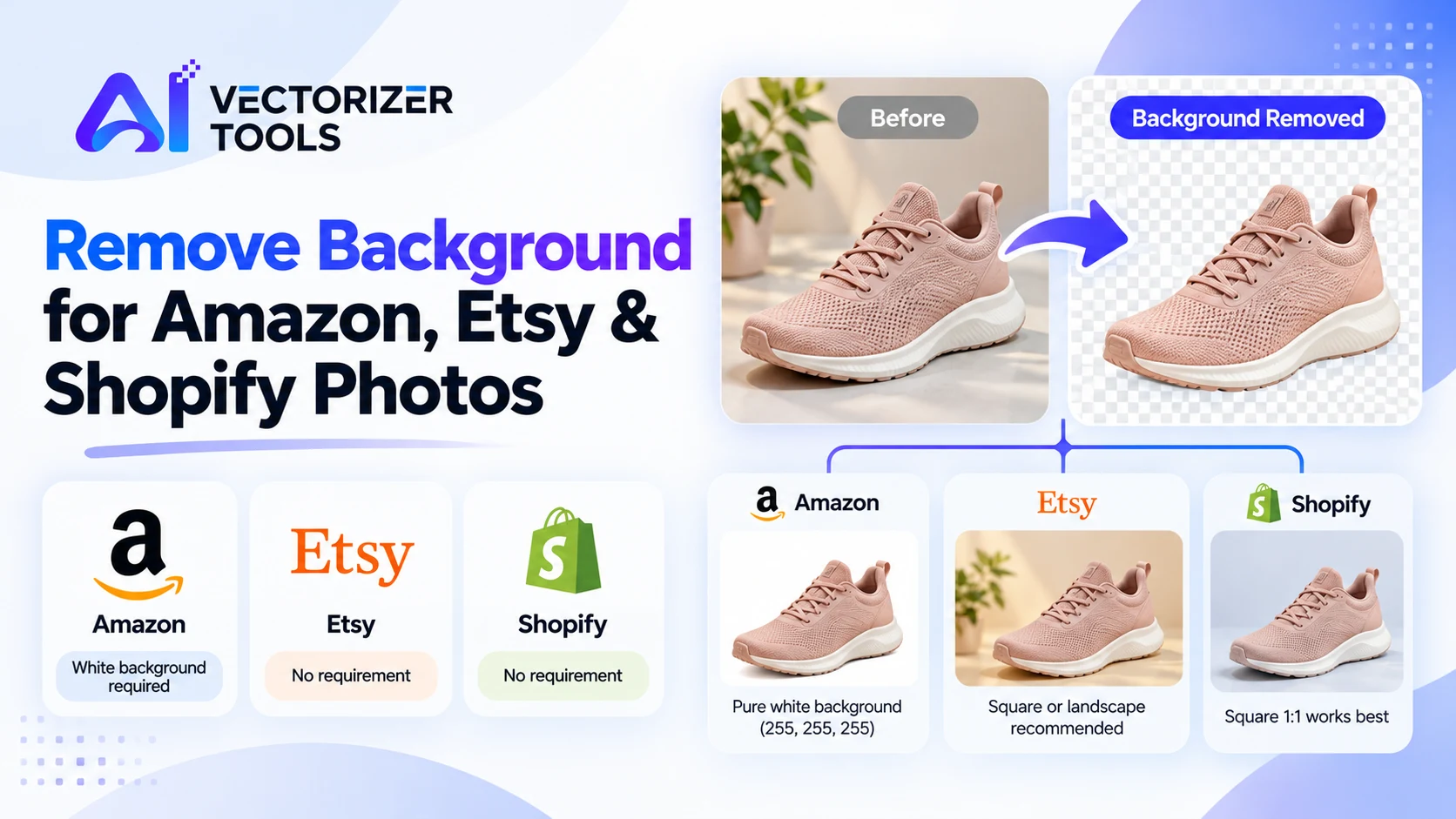
A cluttered background can cost you a sale; on Amazon, it could even lead to the removal of your product listing. Thanks to artificial intelligence, clean background removal can be done in a matter of seconds. The catch is that every sales platform has its own specific requirements meaning a single file won't necessarily work everywhere.
On Amazon, background removal (isolating the product) is of the utmost importance. Main images must feature a pure white background (RGB 255, 255, 255), display the actual product, and occupy at least 85% of the image area. Adding text, logos, watermarks, or overlaid images to the main image is prohibited.
Regarding dimensions, images that are at least 1,000 pixels on each side enable the zoom feature. Many sellers opt for a higher resolution; in fact, some guides recommend 2,000 pixels or more.
"Pure white" means RGB 255, 255, 255 — not "almost white." Using an off-white background or a lifestyle shot (a staged scene) as a main image is a common mistake. Lifestyle shots should be reserved for secondary image slots. Consult our complete guide: Amazon product image requirements.
Etsy does not require a white background; shoppers looking for handmade items are often drawn to warm, styled photographs. An image with a neutral background (with the subject isolated) is ideal as the first photo, followed by images showing the item in use or in a setting.
Etsy recommends a minimum dimension of 2,000 pixels on the shortest side. The first photo must be at least 635 pixels wide to ensure it displays correctly in search results.
The first photo should be in landscape or square format so that the center remains visible when the image is cropped into a thumbnail.
Etsy allows up to 10 images per product listing.
Shopify does not impose any rules regarding backgrounds, so consistency is key. Product images can have a maximum resolution of 4472 × 4472 pixels (20 megapixels) and must be under 20 MB in size. For square images, a resolution of 2048 × 2048 pixels generally provides the best results. Choose a background style such as white, light gray, or a color specific to your brand and apply it across your entire catalog.
| Amazon (main image) | Etsy | Shopify | |
|---|---|---|---|
| Background | Pure white, mandatory | No requirement | No requirement |
| Size | 1000px+ on longest side | 2000px+ recommended | 2048 × 2048 recommended |
| Shape | Product fills 85%+ | First photo landscape or square | Square 1:1 works best |
Use even lighting and a neutral background. High-quality source photos lead to better cutouts.
Upload your image to a Background Remover tool. With our tool, a single click is all it takes to get a transparent PNG file (1 credit per image).
Zoom in on complex areas such as hair, fur, mesh, jewelry chains, or fringes.
For Amazon, use a pure white background (255, 255, 255) with the help of photo-editing software. For Etsy and Shopify, opt for white, a neutral tone, or a color specific to your brand.
For Amazon, the object should occupy at least 85% of the space; for Shopify, use a square format; for Etsy, a square or landscape format is recommended.
If your photo is smaller than the required size, run it through our Image Upscaler first.
Export the final result as a high-quality JPEG.
With dozens of SKUs, process them in one session, then apply the same canvas size and padding to each. Our Pro plan includes batch processing.
Don't rely on it. Flatten it onto a pure white background and export a JPEG, so the white is exactly 255, 255, 255.
No. Etsy has no background color requirement, though the first photo should be landscape or square.
Use 2000 pixels or larger for Amazon and Etsy, and 2048 × 2048 for Shopify squares.