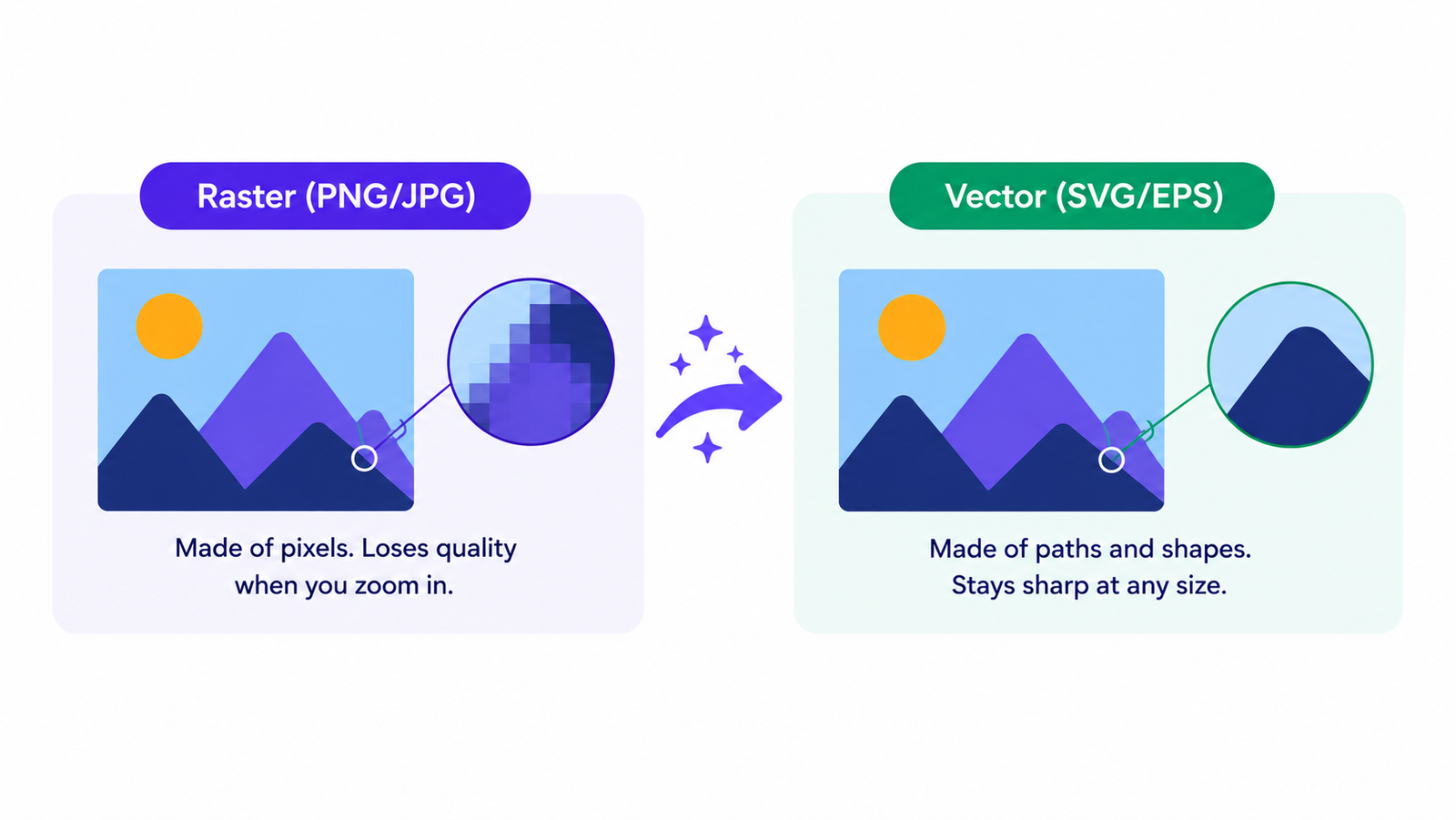
Vectorizing an image involves converting it from a pixel-based raster format (such as PNG or JPG) into a vector format composed of scalable mathematical paths (such as SVG or EPS).
A vectorized image can be enlarged or reduced at will without any loss of quality or blurring, unlike the original raster file, which becomes blurry when enlarged.Every image displayed on your screen is stored using one of two methods.
The first involves using pixels, a grid of tiny colored dots. This is the principle behind PNG, JPG, WebP, and GIF files. The image is defined by the number of dots and the color of each one. This method is ideal for photos and web images; however, if you try to enlarge a raster (pixel-based) image significantly, the dots become visible, making the image look blurry or pixelated.
The second method relies on mathematical paths: a set of instructions describing shapes, lines, and curves using coordinates and equations. This is how SVG, EPS, AI, PDF, and DXF files work. The image is not stored as dots, but rather as a description of shapes. When displayed or printed, the software calculates the appearance of these shapes based on the required size. The result remains identical regardless of scale, whether it is a thumbnail or a billboard.
Vectorizing an image means converting a raster image (made up of pixels) into a vector image. You essentially transform the dots into paths.
The most common reasons:
Vectorization is an automated tracing process. A vectorization tool analyzes the pixel content of a bitmap (or "raster") image and generates vector paths that approximate the detected shapes.
Consider a simple logo, such as black text on a white background: the software identifies the outlines of the shapes and generates smooth curves that follow them. The result is a set of crisp paths representing the original design as scalable geometry, rather than as a grid of colored pixels.
For complex images like photographs, the process is more challenging. Photographs contain thousands of color shades and lack the distinct outlines that software can easily trace. Vectorizing a photograph produces a flattened, "posterized" look that resembles a simplified graphic design more than the original photo. While this effect is sometimes desired (for an artistic look), it is usually not what is expected when one wants to vectorize an image.
In short: vectorization yields the best results with logos, icons, line art, and illustrations featuring flat colors. For photographs, if you need a larger, sharper image, AI-powered upscaling is generally a more suitable solution.
Both spellings mean exactly the same thing. Vectorize is the American English spelling; vectorise is the British English spelling. Both are correct and refer to the same process of converting a raster image into a vector file.
The process takes about a minute:
Upload your PNG, JPG, or WebP image.
The AI traces it automatically into clean vector paths.
Adjust the color count and smoothing level for the cleanest output.
Download in SVG, EPS, AI, or DXF format depending on where the file is going.
No manual tracing, no Illustrator skills, and no design background required. The AI handles the conversion and the output is ready to use in professional workflows.
To vectorize an image means to convert it from a pixel-based raster file (PNG, JPG) into a vector file made of scalable mathematical paths (SVG, EPS, DXF). The result scales to any size without blurring.
A raster image is made of pixels and blurs when enlarged. A vector image is made of mathematical paths and scales infinitely without quality loss. Logos and print files are typically vectors; photographs are typically rasters.
In design, to vectorize means to convert artwork from a pixel format into a vector format so it can be scaled, edited as paths, and used for print, cutting machines, and professional production workflows.
Logos need to work at many different sizes from a tiny favicon to a large sign. A raster logo blurs when enlarged. A vectorized logo scales to any size perfectly, and can be recolored and edited freely.
You can, but the result is a simplified, posterized version of the photo rather than a faithful reproduction. For photographs you want larger and sharper, AI upscaling is a better choice than vectorization.
Now that you know what vectorized means, the next step is straightforward. Sign up free, upload your image, and download a clean vector file ready for print, cutting, or professional design.
Try AI Vectorizer Tools free